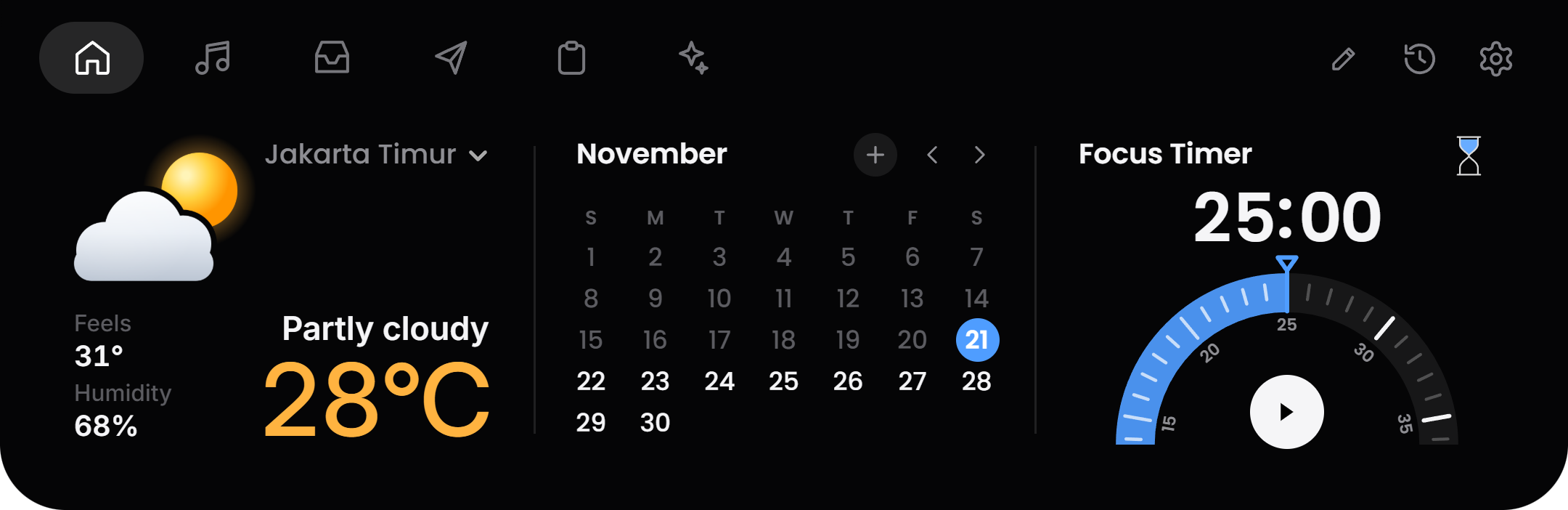
Home
Weather, a week calendar with your events, to-dos, alarms and a focus timer. Add markets, a system monitor, screen time, a water reminder or prayer times.
WidgetsWeather, calendar, to-dos, alarms, timer, markets, system
A friendly notch for Windows and Mac
MusicCalendarFile traySend to phoneClipboard boardAI agents
FreeNo accountOpen source
Weather, a week calendar with your events, to-dos, alarms and a focus timer. Add markets, a system monitor, screen time, a water reminder or prayer times.
WidgetsWeather, calendar, to-dos, alarms, timer, markets, system
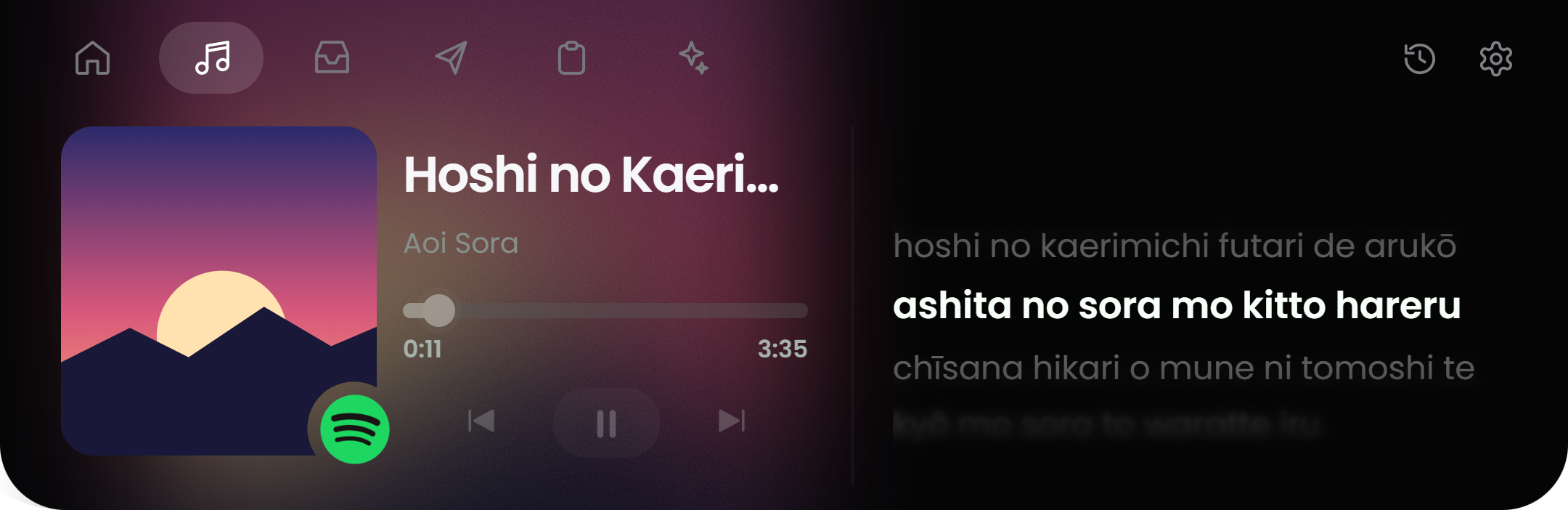
Controls, the cover and lyrics that keep time, right under the camera. Japanese, Korean and Chinese lyrics can switch to romanization.
Works withSpotify, your browser and any media app
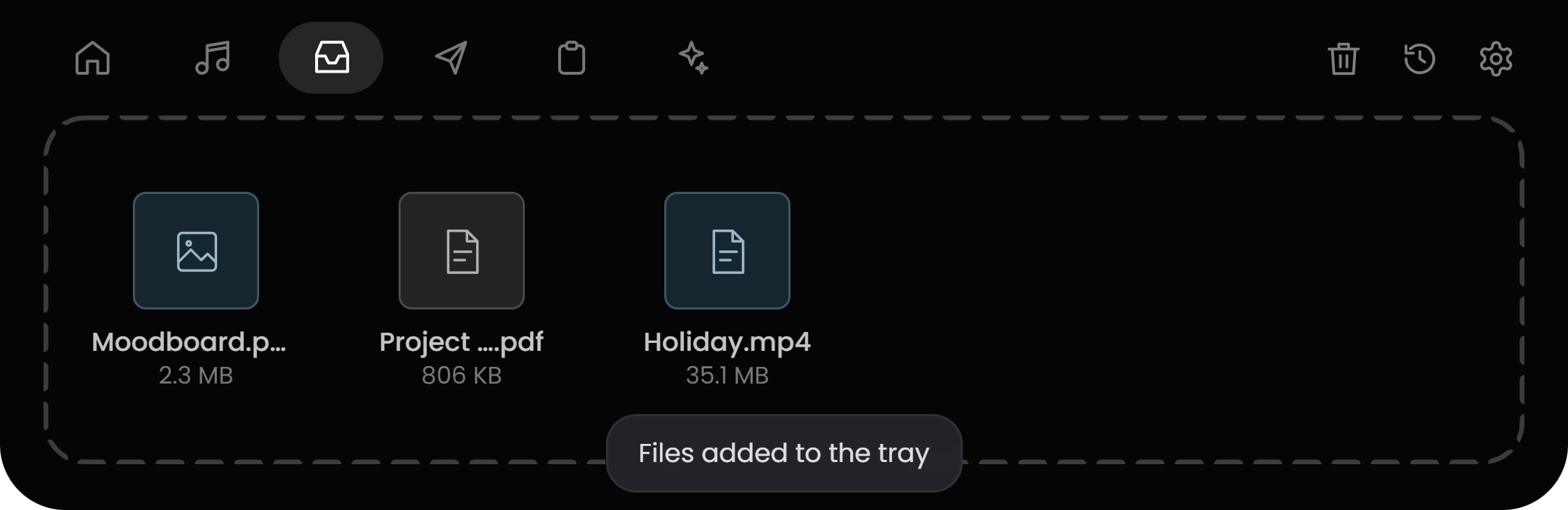
Drop files on the notch and drag them out later. Right-click a file to convert it or send it.
ConvertsImages, video, audio and documents
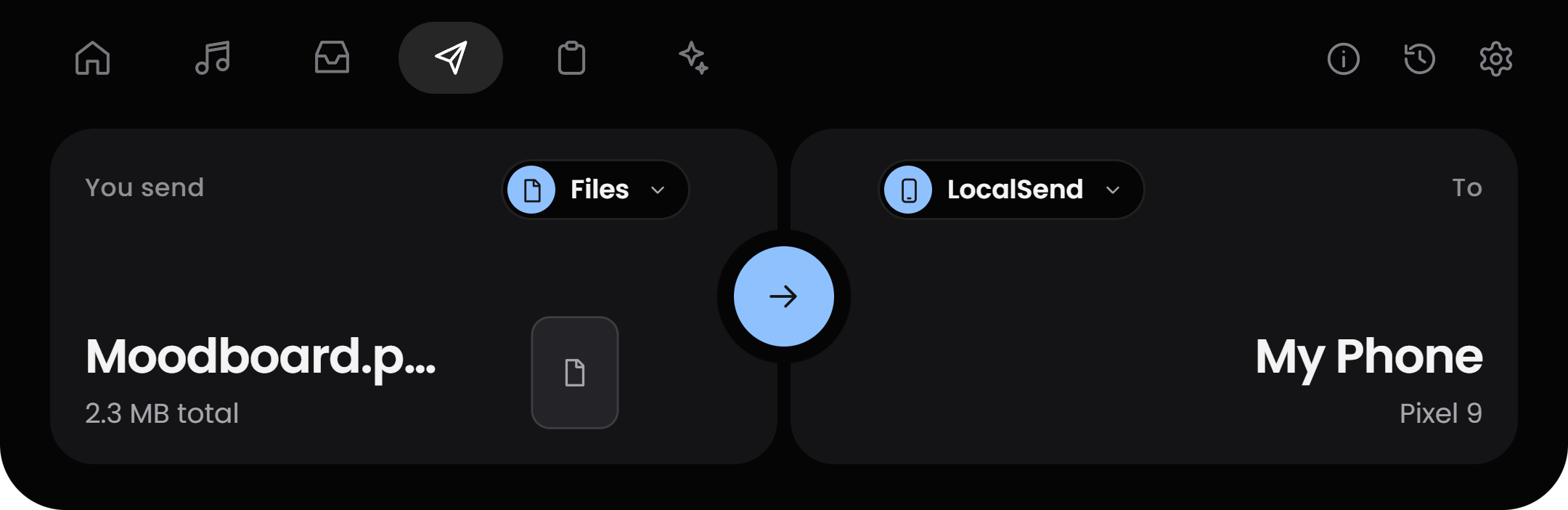
Send files to your phone over Wi-Fi. Nearby devices show up on a small radar, and an iPhone or Mac needs no app.
Send withLocalSend, Quick Share or a QR code
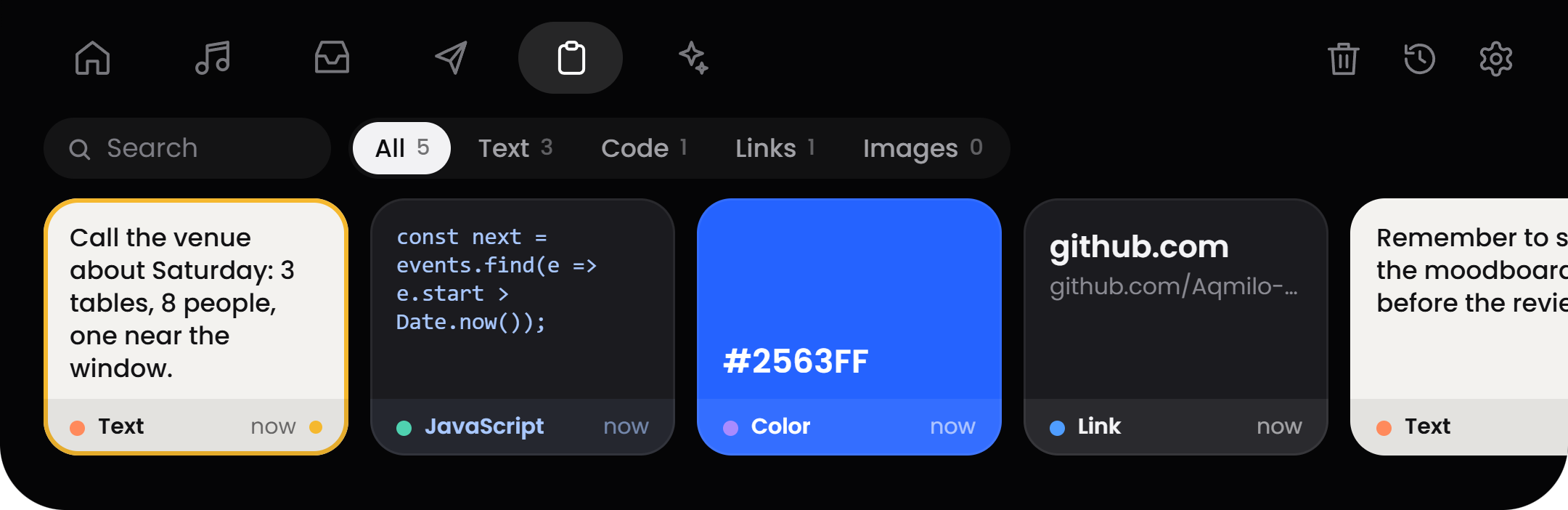
Everything you copy, on a row of cards. Pin items, preview links, copy a color in any format, or read the text inside a picture.
KeepsText, links, colors, code and images
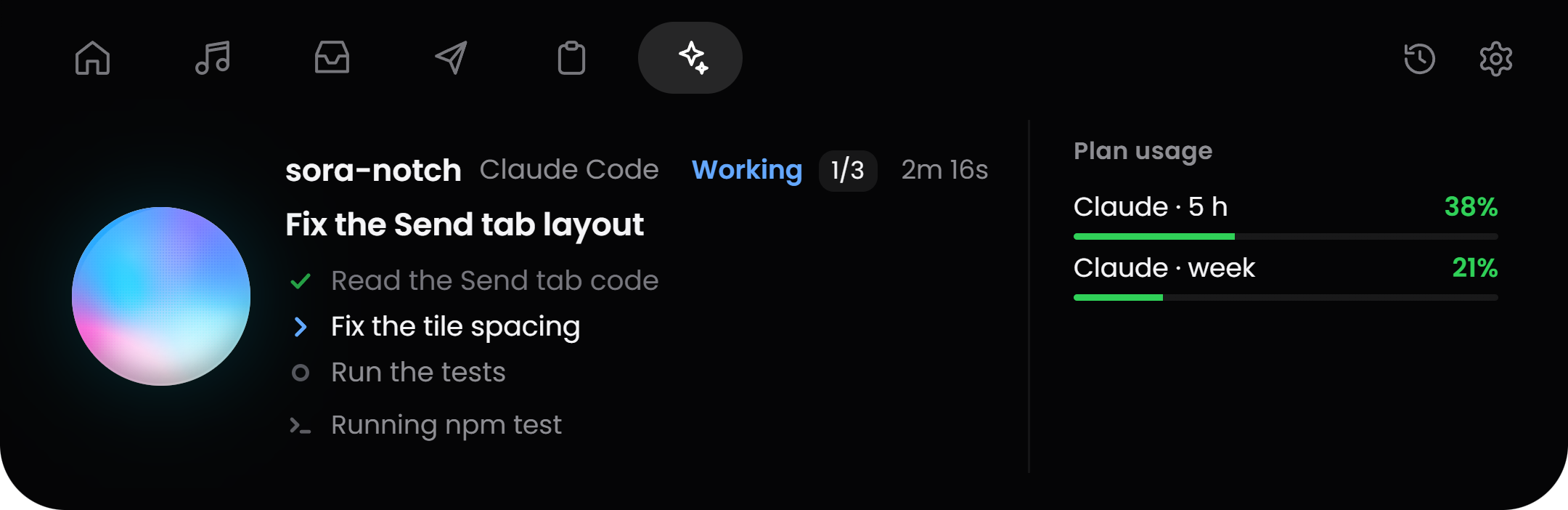
See what your coding agents are doing and approve their actions from the notch, with your plan usage beside them.
Works withClaude Code, Codex, Gemini CLI and Antigravity
The same notch on both. Pick your computer :
Windows (Microsoft Store) or Mac (Disk image)
 Microsoft Store
Signed, and kept up to date by the Store.
Windows 10 and 11
Disk imageOne .dmg for Apple silicon and Intel.
macOS 12 or later · Apple silicon and Intel
| WINDOWS | MAC | |
|---|---|---|
| Get it from | Microsoft Store | GitHub, as a .dmg |
| Works on | Windows 10 and 11 | macOS 12 or later |
| Home, Music, Tray, Send, Board | ✓ | ✓ |
| AI Agent | ✓ | ✓ |
| Send with LocalSend, Quick Share or a QR code | ✓ | ✓ |
| Updates | Through the Store | A daily check that installs only a signed update |
| Code signing | Signed by the Store | Not yet. Gatekeeper may ask you to confirm |
| Show or hide shortcut | Ctrl + Alt + Space | Cmd + Shift + Space |
| Free, no account, no tracking | ✓ | ✓ |
| Open source (GPL-3.0) | ✓ | ✓ |
Chat in the notch and the Meeting recorder are beta features of the GitHub version for Windows, which also has a portable .exe. Find it with the source code on GitHub.
Questions? Open an issue, read the license, or view the privacy policy.
Yes. It is free and open source under GPL-3.0, with no ads and no paid tier.
There is no account and no analytics. Sora goes online only for features you use, such as the weather for the city you chose or lyrics for the song that is playing. Your events, timer, settings and tray stay on your computer, and files are never uploaded.
The Mac app is not code-signed yet. Open System Settings, then Privacy & Security, and choose Open Anyway the first time.
Press Ctrl + Alt + Space on Windows or Cmd + Shift + Space on a Mac, or use the menu bar or tray icon. In full-screen apps and games Sora hides itself into a small capsule.
LocalSend, or Quick Share on Android, on the same Wi-Fi as your computer. For an iPhone or a Mac you scan a QR code and type a 6-digit code, with no app.
Any player or browser that shows up in your system's media controls, such as Spotify.